---
title: VSCode 常用插件推荐
lang: zh-CN
createTime: 2018/12/29 11:15:27
permalink: /article/ofp08jd8
author: pengzhanbo
tags:
- VSCode
top: false
type: null
---
`VS Code` 作为我现在工作中最常用的编辑器,也是我十分喜欢的编辑器。它强大的功能和插件系统,对我的工作提供了很多帮助和支持。将我在工作中经常使用的插件,推荐给大家。
### Code
1. [Code Spell Checker](https://github.com/Jason-Rev/vscode-spell-checker)
单词拼写检查插件,帮助检查代码中单词是否拼写错误,包括驼峰形式的变量名称检查。可以在一定程度避免一些不必要的单词拼写错误导致的一些低级错误。
2. [ESLint](https://github.com/Microsoft/vscode-eslint)
javascript ES6 代码规范、语法检查工具,帮助规范团队代码规范。
3. [EditorConfig](https://github.com/editorconfig/editorconfig-vscode)
编辑器配置,代码格式规范相关,必备。
4. [Prettier](https://github.com/prettier/prettier-vscode)
帮助格式化`javascript`、`typescript`、`CSS`代码。
`Prettier` 会读取 `.editorconfig`,或根据提供相关配置,格式化代码为符合项目代码规范。
5. [Bracket Pair Colorizer](https://github.com/CoenraadS/BracketPair)
可以对每一个代码块或者每一层嵌套,以不同的颜色高亮,帮助阅读代码。

主要是针对 `()`,`[]`,`{}` 进行不同嵌套的颜色高亮
6. [Code Runner](https://github.com/formulahendry/vscode-code-runner)
在`VSCode`中运行各种各样的语言。并将结果输出到输出控制台。
方便代码调试。
7. [Color Highlight](https://github.com/sergiirocks/vscode-ext-color-highlight)
颜色高亮插件,读取文件中的 十六进制、RGB、RGBA 等颜色,并以对应的颜色高亮显示。
### theme
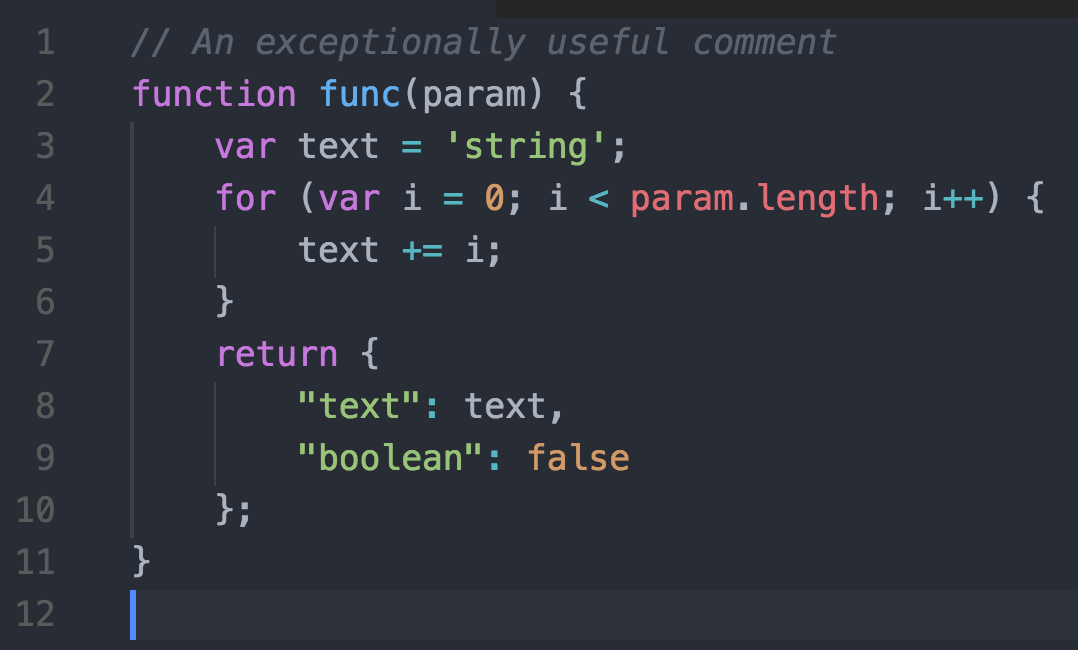
1. [Atom One Dark Theme](https://github.com/akamud/vscode-theme-onedark)
一款 Atom 的 暗色系主题皮肤。 习惯了`Atom`编辑器,转而使用`VSCode`的小伙伴们可以使用这款皮肤。
颜色对比度适中,不会太过强烈。
### GIT
1. [Git Blame](https://marketplace.visualstudio.com/items?itemName=waderyan.gitblame)
可以帮助查看到文件的每一行的详细修改信息,包括 HASH串、作者、日期等。
2. [Git history](https://marketplace.visualstudio.com/items?itemName=donjayamanne.githistory)
以可视化的界面查看 git log 信息。支持:
查看所有分支或者某一个分支的log信息;
查看某一个文件的log信息;
查看某一个作者的log信息等。
3. [Git Project Manager](https://github.com/felipecaputo/git-project-manager)
该插件可以帮助你快速在VSCode新窗口打开本地git项目。
命令:`ctrl+shift+p` / `cmd+shift+p`
或者按下 `F1`,输入 `GPM`
4. [Git Tags](https://github.com/leftstick/vscode-git-tags)
Git Tag 管理插件
5. [Git Lens](https://gitlens.amod.io/)
这款插件十分适合在多人协作项目中使用,可以定位到当前文件每一行的最后提交作者、时间等git log,也可以查看到当前文件的所有日志等。
如果有装这一款插件,`Git Blame`插件就没有必要装了。
6. [git ignore](https://github.com/CodeZombieCH/vscode-gitignore)
### Markdown
1. [Markdown Preview Enhanced](https://shd101wyy.github.io/markdown-preview-enhanced)
一款功能强大的 markdown 插件。让你在vscode 中拥有更好的 markdown 写作体验。
### Icon
1. [vscode-icons](https://github.com/vscode-icons/vscode-icons)
文件菜单 icons。 根据文件夹命名、文件后缀等,对文件夹、文件菜单栏添加 对应的`icon`。
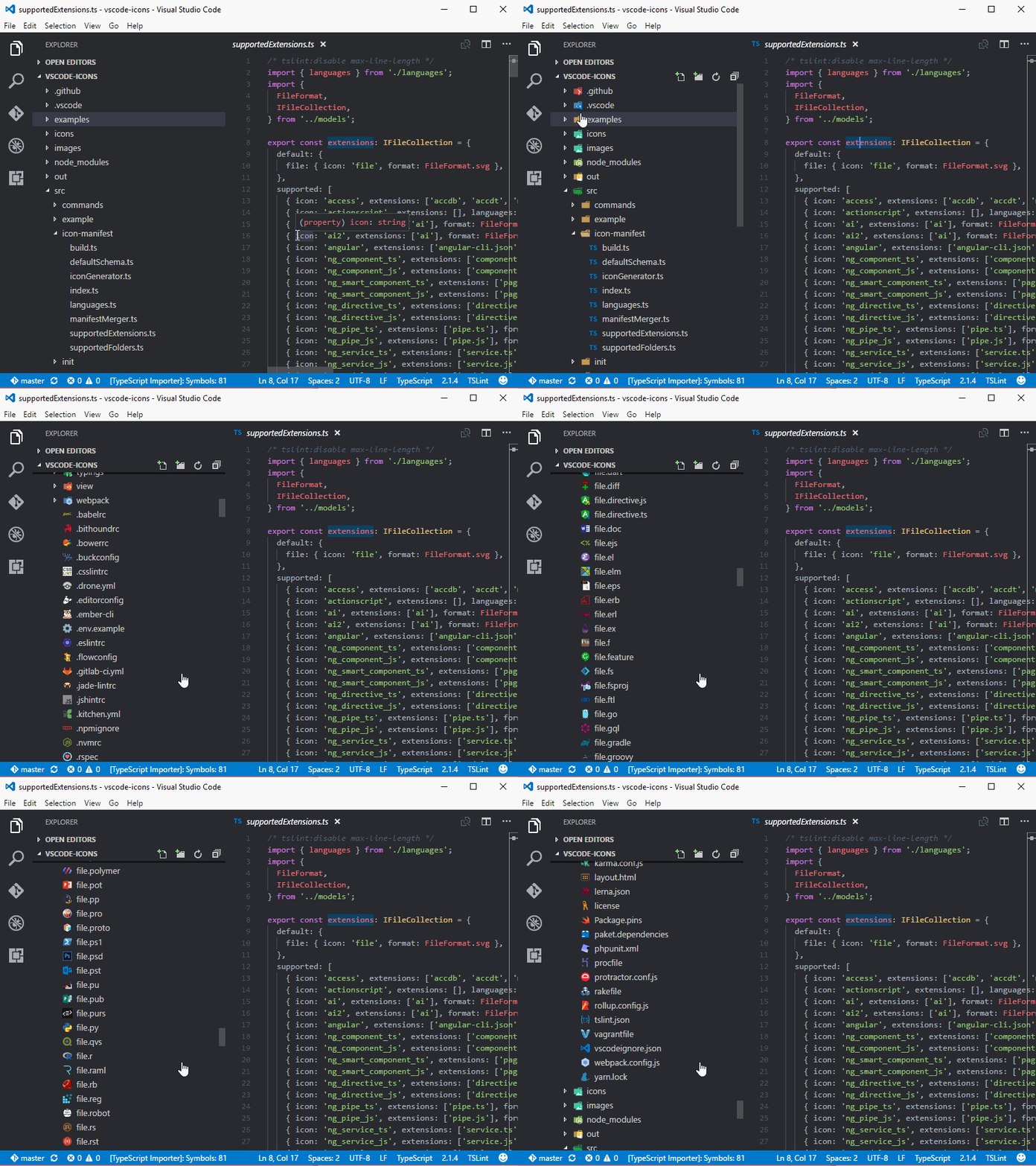
2. [VSCode Great Icons](https://marketplace.visualstudio.com/items?itemName=emmanuelbeziat.vscode-great-icons)
另一款 文件菜单栏 icons,支持 100+的文件类型。

### IDE support
1. [View In Browser](https://github.com/hellopao/view-in-browser)
快速打开html页面在浏览器中访问。
2. [ftp-simple](https://github.com/humy2833/FTP-Simple)
FTP 上传/下载插件。
3. [Rest Client](https://github.com/Huachao/vscode-restclient)
允许你在 `VSCode` 中发送HTTP请求,并查看response的内容。
### Framework support
1. [Vetur](https://github.com/vuejs/vetur)
Vue 支持。
2. [minapp](https://github.com/wx-minapp/minapp-vscode)
微信小程序 支持。